
01 / Assessment setup
Invite
Set the task and requirements.
Choose a React + TypeScript project, define the requirements and time limit, and send a candidate invitation.
Engineering assessments with AI
See how engineers guide AI, review its work, and verify results before you hire.
01 / Beyond the final answer
See the decisions behind the submitted code, from the first prompt to the final test.
The Actera view
The context they give AI.
The suggestions they question.
The behavior they check.
02 / How the assessment works
01 / Assessment setup
Choose a React + TypeScript project, define the requirements and time limit, and send a candidate invitation.
02 / Candidate workspace
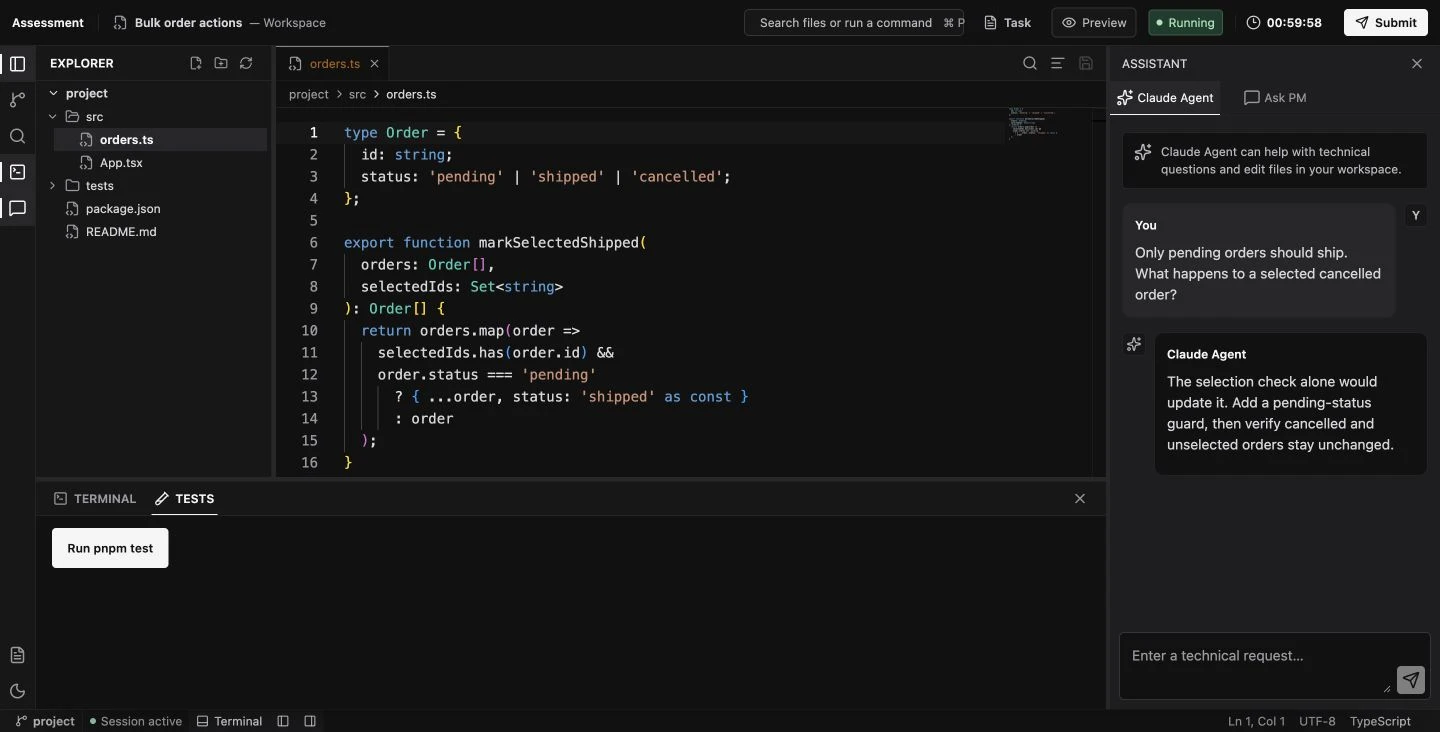
Candidates work in a browser workspace. See how they direct AI, question suggestions, review changes, and test their solution.
03 / Hiring review
Review submitted changes, available tests, agent interactions, and recorded activity. Your team makes the hiring decision.
The full assessment flowTask brief
Add a bulk action for selected pending orders. Preserve every other order.
Candidate AI
src/orders.ts
selectedIds.has(order.id)
  && order.status === 'pending'
  ? { ...order, status: 'shipped' }
  : order
Review the change and run the tests.
Submission / Evidence
Evidence informs the decision. Your team makes it.
03 / Reviewing AI output
See how a candidate catches a missing condition in generated code and tests the fix.
type Order = {
  id: string;
  status: 'pending' | 'shipped' | 'cancelled';
};

export function markSelectedShipped(
  orders: Order[], selectedIds: Set<string>
): Order[] {
  return orders.map(order =>
    selectedIds.has(order.id)
      ? { ...order, status: 'shipped' as const }
      : order
  );
}Interactive illustration · Sample code and verification cases, not a candidate result.
04 / Evidence for your team
Bring the submission and the process into the same conversation. Use the evidence to ask better follow-up questions.
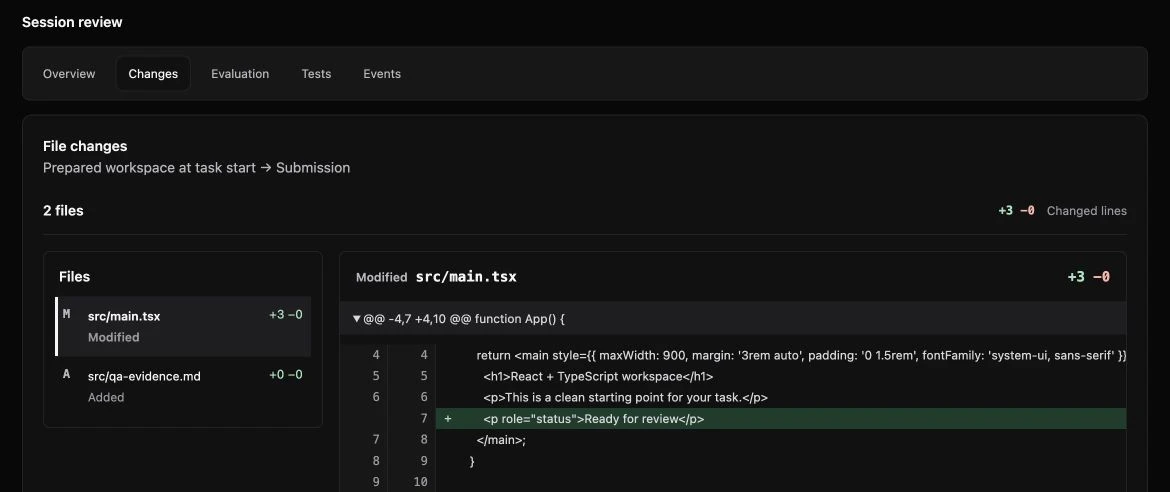
Evidence for your hiring judgment. Hiring decisions always stay with your team.
05 / The candidate workspace
Files, editor, AI conversation, terminal, tests, and preview. One assessment workspace, without local setup.
Designed for desktop browsers. Workspace capabilities depend on the assessment configuration.
Import from GitHub or upload a ZIP. Validate and approve a React + TypeScript project version for candidate use.
Candidates use an isolated assessment workspace. Their submission is saved for review, never pushed to your original repository.
Actera helps tech companies evaluate how effectively engineering candidates use AI during a practical coding task: how they frame the problem, guide an agent, review its output, and verify the solution. Your hiring team reviews the available evidence and makes the decision.
Actera assesses how a candidate works with AI during a practical engineering task. Your team can examine how the candidate approaches the problem, directs AI, checks its output, and verifies the solution alongside the code they submit.
Look at how candidates break down a problem, give AI useful context and instructions, question its suggestions, review generated code, and test the result against the requirements. The focus is the candidate’s judgment throughout the task.
Your team can review submitted code changes, available test results, and recorded session activity. Recorded agent messages and tool activity show how the candidate worked with AI.
Candidates open an invitation link, read the task and session notice, and enter a browser-based workspace. They work with AI agents alongside an editor, terminal, tests, and preview, then review their changes and submit their solution.
No local setup is required for the browser workspace. Candidates should use a desktop browser for the full coding experience.
No. Hiring decisions stay with your team. Actera provides submitted code and available session evidence to help you assess the candidate’s work and judgment.
Yes. Import a project from GitHub or upload it as a ZIP file. Once the project passes validation and you approve it for candidate use, you can select that version when creating an assessment task. The current supported project type is React + TypeScript.
No. Candidates work in a separate assessment workspace prepared from the project version you approved. Their changes are saved as an assessment submission for your team to review; they are not pushed to your original GitHub repository.
Where enabled for an assessment, candidates use AI agents for technical guidance and code changes. They direct the agents, review the output, and test their solution. Agent availability depends on the assessment configuration and environment; a walkthrough can confirm what is enabled for your assessment. Your team reviews the available interactions alongside the submitted work.
AI skills and engineering judgment
Look beyond the final answer.
Request a walkthrough Already using Actera? Sign in